Building a Second Brain for Developers
 21 min read
I have re-solved the same Docker networking problem at least four times. Not because it’s hard, but because I forgot I’d already figured it out. My brain is a colander for technical knowledge: it holds the pasta for about thirty seconds, then everything drains into the void.
The developers I know who seem supernaturally productive aren’t smarter or faster. They just have a system that remembers things so their brain doesn’t have to. Here’s mine. It’s imperfect, it’s evolved through several false starts, and it’s saved me an embarrassing number of hours.
Capture First, Organize Never (Well, Later)
Most knowledge management attempts die the same death: you design the perfect folder structure, then never put anything in it because filing a note takes longer than just re-Googling. It’s like building an elaborate filing cabinet and then stuffing everything in your pockets anyway.
So I flipped the order:
- Capture fast, get it out of your head with zero friction
- Process later, spend 10 minutes daily organizing recent captures
- Retrieve when needed, search should be instant
If the capture step takes more than 30 seconds, you won’t do it. That’s the hard constraint everything else bends around.
You know how kids just throw all their toys in a big pile instead of sorting them into bins? Turns out that’s actually the right first step. Most note systems die because putting stuff away is harder than just tossing it on the floor.
My system works like a toy box with one rule: throw it in NOW, sort it later. Scribble it down immediately, don’t think about which bin it goes in. Spend 10 minutes later putting toys in the right boxes. If the “throw it in the toy box” step takes more than 30 seconds, I won’t do it. My entire system revolves around that one lazy truth about myself.
My Tool Stack
Obsidian as the Core
I’ve bounced between Notion, Roam, Bear, Apple Notes, and plain text files in a git repo. I keep crawling back to Obsidian because:
- Local-first: My notes are markdown files on disk. No vendor lock-in, no “sorry, our servers are having a moment”
- Linking: Bidirectional links between notes create a knowledge graph that surfaces connections I didn’t plan
- Speed: Opens instantly, searches fast, no loading spinner staring at me
- Extensible: The plugin ecosystem fills in whatever’s missing
I also cover Obsidian as part of my developer workflow setup, where it fits alongside my editor, terminal, and other daily tools.
I’ve tried basically every note app ever made and keep crawling back to Obsidian (a note-taking app where your notes are just plain files on your computer). Why? Because my notes aren’t trapped in some app’s special format, not stored on someone else’s server that could vanish. If Obsidian disappeared tomorrow, my notes would still be sitting right there. It’s like writing in a real notebook instead of on an Etch A Sketch. Nobody can shake it and erase everything.
The cool trick is that notes can link to each other, like building a little spiderweb between your LEGO creations so you can follow the strings to find related stuff. I also cover Obsidian in my developer workflow setup.
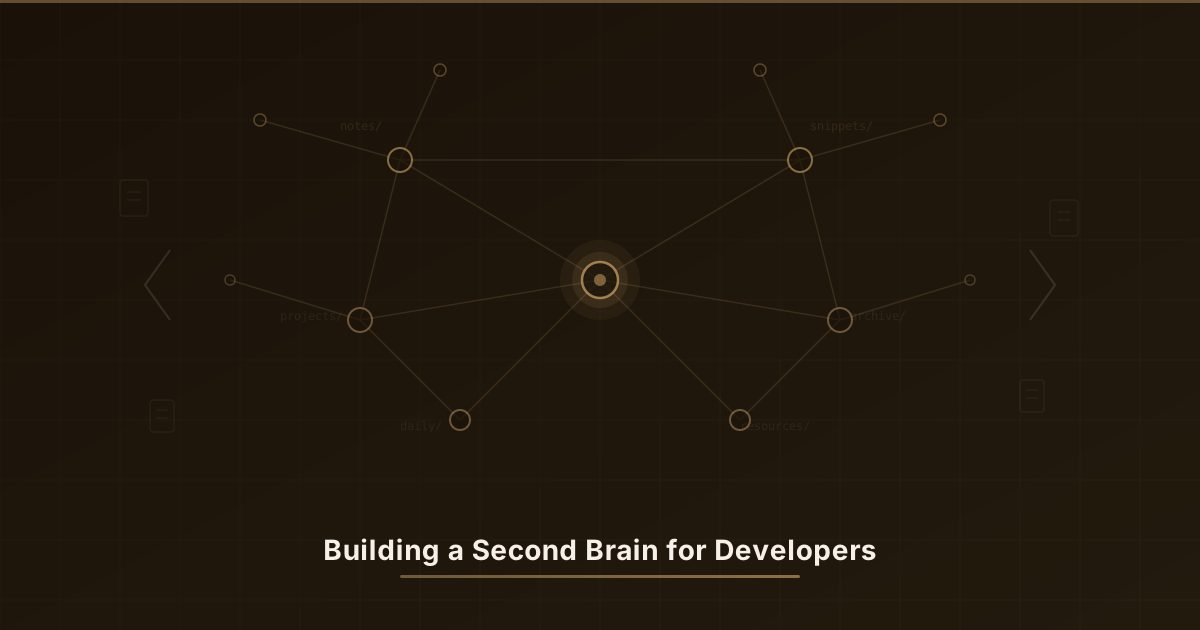
My vault structure looks like this:
brain/
  inbox/          <- Quick captures go here
  projects/       <- Active project notes
  areas/          <- Ongoing domains (career, health, finances)
  resources/      <- Reference material, tutorials, concepts
  archive/        <- Completed project notes
  templates/      <- Note templates
  daily/          <- Daily notes
brain/
inbox/ # The "just throw it in here" pile
projects/ # Stuff I'm actively building right now
areas/ # Big life buckets (career, health, money)
resources/ # Cool things I found and want to keep
archive/ # Finished projects go to the attic
templates/ # Cookie cutters for new notes
daily/ # Today's scrap paperDaily Notes, the Junk Drawer That Works
Every morning, Obsidian generates a daily note from a template:
# 2026-01-22

## Plan
- [ ] Main focus for today
- [ ] Secondary tasks

## Notes
<!-- Capture anything throughout the day -->

## Learned
<!-- New concepts, solutions, patterns -->

## End of Day
<!-- What went well, what didn't -->
# 2026-01-22
## Plan
# What am I actually going to do today? Write it down or it won't happen.
- [ ] Main focus for today
- [ ] Secondary tasks
## Notes
# Brain dump zone. Anything goes. Don't think, just scribble.
## Learned
# Did something make you go "ohhh"? Write it here before you forget.
## End of Day
# Gold star / coal in stocking time. What went well? What was a disaster?Throughout the day, everything goes into the daily note. Interesting error message? “Learned.” Meeting context? “Notes.” Random idea at 3 PM? Also “Notes.” The daily note is the inbox of inboxes. I’m not making filing decisions while I’m in the middle of debugging something.
At the end of the day, I spend 10 minutes moving things to proper locations and adding links. Some days I skip this. The world doesn’t end.
Quick Capture Shortcuts
The daily note covers desk time. For everything else:
- Phone: Draft an email to myself (one tap, no friction)
- Terminal: A shell function that appends to today’s daily note
- Browser: Obsidian Web Clipper for saving articles
# Add to ~/.zshrc
brain() {
  local date=$(date +%Y-%m-%d)
  local note="$HOME/brain/daily/${date}.md"
  echo "- $(date +%H:%M) $*" >> "$note"
}

# Usage
brain "figured out the nginx proxy issue - needed proxy_set_header Host"
brain "look into htmx for the admin panel"
# Add to ~/.zshrc (that's the settings file for your terminal)
brain() {
# Figure out what today's date is
local date=$(date +%Y-%m-%d)
# Find today's note file
local note="$HOME/brain/daily/${date}.md"
# Writes the time and whatever you said into the file. That's the whole thing.
echo "- $(date +%H:%M) $*" >> "$note"
}
# Now you can yell thoughts into the void and they actually get saved:
brain "figured out the nginx proxy issue - needed proxy_set_header Host"
brain "look into htmx for the admin panel"That brain function is embarrassingly simple and absurdly useful. Past me has left future me some genuinely clutch breadcrumbs with it.
Knowledge Management for Code
General notes are one thing, but developers have code-specific needs that generic productivity advice doesn’t cover. Here’s how I handle each category.
Your Personal Code Cookbook
I keep a snippets/ folder organized by language and domain. Think of it as a recipe book, except instead of banana bread, it’s “that one error handler pattern I always forget the exact shape of.”
You know how some kids have a sticker collection, all sorted by type? Shiny ones here, puffy ones there, scratch-and-sniff in the special drawer? I have the same thing but for code. Little saved snippets of patterns I use over and over, sorted by language. Instead of Googling the same thing for the fifth time like a goldfish with a search bar, I just check my sticker book. Past-me already figured it out and stuck it in there. Present-me just has to find the right page.
resources/
  snippets/
    typescript/
      api-error-handler.md
      zod-schema-patterns.md
      react-hook-patterns.md
    python/
      fastapi-middleware.md
      sqlalchemy-queries.md
    shell/
      useful-one-liners.md
      ssh-tunnel-commands.md
    docker/
      compose-patterns.md
resources/
snippets/
typescript/ # The JavaScript-but-fancier drawer
api-error-handler.md
zod-schema-patterns.md
react-hook-patterns.md
python/ # The snake language drawer
fastapi-middleware.md
sqlalchemy-queries.md
shell/ # Terminal magic spells
useful-one-liners.md
ssh-tunnel-commands.md
docker/ # The "put your app in a box" drawer
compose-patterns.mdEach snippet has a consistent format:
# API Error Handler (TypeScript)

Tags: #snippet #typescript #error-handling

## Context
Standard error handling middleware for Express/Fastify APIs.
Returns consistent error responses.

## Code
\```typescript
export class AppError extends Error {
  constructor(
    public statusCode: number,
    public message: string,
    public code?: string
  ) {
    super(message);
  }
}

export function errorHandler(err: Error, req: Request, res: Response) {
  if (err instanceof AppError) {
    return res.status(err.statusCode).json({
      error: { message: err.message, code: err.code },
    });
  }
  console.error("Unhandled error:", err);
  return res.status(500).json({
    error: { message: "Internal server error" },
  });
}
\```

## Usage Notes
- Register as the last middleware
- Pair with a request ID middleware for tracing
- Extend AppError for domain-specific errors (ValidationError, AuthError)
# API Error Handler (TypeScript)
Tags: #snippet #typescript #error-handling
# Tags are like stickers on the outside of the folder so you can find it later
## Context
Standard error handling middleware for Express/Fastify APIs.
Returns consistent error responses.
# "What is this thing and when do I use it?" in two sentences
## Code
# The actual recipe. Copy, paste, adjust to taste.
\```typescript
export class AppError extends Error {
// A special kind of error that knows its own status code
// (like "404 not found" or "500 everything is on fire")
constructor(
public statusCode: number,
public message: string,
public code?: string
) {
super(message);
}
}
export function errorHandler(err: Error, req: Request, res: Response) {
// If it's one of OUR errors, send back a nice polite message
if (err instanceof AppError) {
return res.status(err.statusCode).json({
error: { message: err.message, code: err.code },
});
}
// If it's a MYSTERY error, panic quietly and send a generic "oops"
console.error("Unhandled error:", err);
return res.status(500).json({
error: { message: "Internal server error" },
});
}
\```
## Usage Notes
- Register as the last middleware
- Pair with a request ID middleware for tracing
- Extend AppError for domain-specific errors (ValidationError, AuthError)
# These are "don't forget" sticky notes from past-meDebugging Journals Are Archaeology Insurance
Every time I solve a non-trivial bug, I write a short note about it. This is the single highest-ROI habit in my entire system. Debugging is archaeological excavation. You uncover layers of context, find the artifact, and then… walk away and forget where the dig site was. The journal is your map back.
Every time I fix a tricky bug, I write a little note: what broke, why it broke, and how I fixed it. It’s like drawing a treasure map to answers you already found and hiding it in your toy box. Six months later when the same monster shows up under the bed (and it WILL show up), I just search my notes and the answer is right there. Without this, I’d be like a goldfish swimming into the same castle decoration every lap, surprised every time. This one habit has saved me more hours than I can count.
# Fixed: Docker Container Can't Reach Host Database

Date: 2026-01-18
Project: [[LifeOps Backend]]
Tags: #debugging #docker #postgres

## Symptoms
- FastAPI container starts but can't connect to PostgreSQL
- Error: `connection refused` on localhost:5432
- Works fine outside Docker

## Root Cause
Inside a Docker container, `localhost` refers to the container itself,
not the host machine. PostgreSQL was listening on the host's localhost.

## Solution
Use `host.docker.internal` (macOS/Windows) or the host's actual IP.
For Linux, add `--add-host=host.docker.internal:host-gateway` to docker run.

In docker-compose:
\```yaml
extra_hosts:
  - "host.docker.internal:host-gateway"
\```

## Prevention
Always use environment variables for database hosts. Never hardcode `localhost`
in config that might run in containers.
# Fixed: Docker Container Can't Reach Host Database
# (Translation: my app in a box couldn't talk to my database. Classic.)
Date: 2026-01-18
Project: [[LifeOps Backend]]
Tags: #debugging #docker #postgres
# Tags so future-me can actually find this treasure map
## Symptoms
# What was it doing? (a.k.a. "how did I notice something was on fire")
- FastAPI container starts but can't connect to PostgreSQL
- Error: `connection refused` on localhost:5432
- Works fine outside Docker
## Root Cause
# WHY was it broken? This is the gold.
Inside a Docker container, `localhost` refers to the container itself,
not the host machine. PostgreSQL was listening on the host's localhost.
# Imagine yelling "MOM!" inside a cardboard box. The box hears you, not your mom.
## Solution
# How I fixed it, step by step, so future-me doesn't have to figure it out again
Use `host.docker.internal` (macOS/Windows) or the host's actual IP.
For Linux, add `--add-host=host.docker.internal:host-gateway` to docker run.
In docker-compose:
\```yaml
extra_hosts:
- "host.docker.internal:host-gateway"
\```
## Prevention
# The "never step on this LEGO again" section
Always use environment variables for database hosts. Never hardcode `localhost`
in config that might run in containers.Six months later, I search “docker localhost” and the answer is sitting right there. No Stack Overflow spelunking, no re-derivation from first principles. The “Prevention” section is the real gem. It turns a one-off fix into a lasting habit change.
Architecture Decision Records
For any non-trivial architectural choice, I write an ADR. Sounds formal. It’s really just “why I picked this thing over the other things, written down before I forget my reasoning.”
OK so imagine you’re picking crayons for a big drawing. You could use the red one or the blue one or the green one, and each one would make a different picture. An ADR is just writing down “I picked the blue crayon because…” That’s it. It sounds boring and it takes 10 minutes. But six months later when someone asks “why is the sky blue in your drawing?” you can hand them a note instead of standing there going “uhhh… I think I had a reason?” I have been that “uhhh” person. ADRs prevent that.
# ADR: Use TimescaleDB for Time-Series Data

Status: Accepted
Date: 2026-01-10
Context: [[LifeOps Backend]]

## Problem
We need to store and query time-series health/activity data efficiently.
Standard PostgreSQL works but queries degrade with millions of rows.

## Options Considered
1. **Plain PostgreSQL** — Simple, no new dependencies, but slow at scale
2. **TimescaleDB** — PostgreSQL extension, transparent, excellent compression
3. **InfluxDB** — Purpose-built, but separate system to maintain

## Decision
TimescaleDB. It's a PostgreSQL extension so we keep one database system.
Hypertables handle partitioning automatically. Compression reduces
storage 90%+.

## Consequences
- Need to install the TimescaleDB extension
- Migrations need to create hypertables
- Team needs to learn continuous aggregates
# ADR: Use TimescaleDB for Time-Series Data
# (Translation: which crayon did I pick for storing time-based data, and why)
Status: Accepted
Date: 2026-01-10
Context: [[LifeOps Backend]]
## Problem
# What are we trying to do?
We need to store and query time-series health/activity data efficiently.
Standard PostgreSQL works but queries degrade with millions of rows.
# Regular database works but gets slow when you stuff too much in it
## Options Considered
# The crayon lineup. Which colors are we choosing between?
1. **Plain PostgreSQL** - The crayon we already have. Works, but slow for this job.
2. **TimescaleDB** - Same crayon but with a turbo booster attached.
3. **InfluxDB** - A totally different crayon. Fancy, but now I need a second pencil case.
## Decision
# The one I picked and WHY (this is the whole point of the note)
TimescaleDB. It's a PostgreSQL extension so we keep one database system.
Hypertables handle partitioning automatically. Compression reduces
storage 90%+.
## Consequences
# What does picking this crayon mean for future-me?
- Need to install the TimescaleDB extension
- Migrations need to create hypertables
- Team needs to learn continuous aggregatesLearning Workflows
The Feynman Technique, But For Code
When I’m learning something new, I write an explanation in my own words as if teaching it to a confused colleague. If I can’t explain it plainly, I don’t actually understand it. I’m just parroting documentation. I use this technique as part of a larger framework I described in my learn any tech stack fast post.
There was this physicist named Feynman who said: if you can’t explain something simply, you don’t actually understand it. So when I learn something new, I try to write it down like I’m explaining it to a five-year-old with crayons. (Sound familiar? You’re reading one of those explanations right now.) The places where I get stuck writing are exactly the places where I was faking understanding. I’ve been mid-explanation and realized “oh wait, I actually have no idea how this part works.” Better to discover that while scribbling than while debugging at 2 AM. I use this as part of a bigger system I wrote about in my learn any tech stack fast post.
My template:
# Concept: [Name]

Tags: #learning #[topic]

## One-Sentence Explanation
<!-- Explain it in one sentence without jargon -->

## How It Works
<!-- Your understanding, in plain language -->

## Code Example
<!-- Minimal working example -->

## When to Use It
<!-- Practical scenarios -->

## Gotchas
<!-- Common mistakes, edge cases -->

## Sources
<!-- Links to articles, docs, videos -->
# Concept: [Name]
# What are you learning? Give it a name. Even a dumb name. Especially a dumb name.
Tags: #learning #[topic]
# Tag it so you can find it later. Future-you will thank present-you.
## One-Sentence Explanation
# Explain it in ONE sentence. No jargon. If a kid couldn't follow it, try again.
## How It Works
# Your understanding. In YOUR words. Not copy-pasted from the docs.
## Code Example
# The tiniest working example you can make. Smallest LEGO build possible.
## When to Use It
# When would you actually reach for this tool?
## Gotchas
# The LEGOs you'll step on in the dark. Write them down BEFORE you forget.
## Sources
# Where did you learn this? Links go here so you can go back.Spaced Repetition for the Stuff That Won’t Stick
For things I genuinely need to memorize (keyboard shortcuts, API patterns, CLI flags) I use a lightweight spaced repetition loop. Obsidian has plugins for this, but even a bare-bones approach works:
- Tag new learning notes with
#review - Every Friday, search for
#reviewand quiz yourself - Remember it? Remove the tag
- Don’t? Keep the tag, add more examples
It’s not Anki-level rigorous, but it catches the things that would otherwise leak out of my head between Fridays.
Remember flashcards from school? This is basically that, but lazier. I tag notes I want to memorize with #review. Every Friday I search for that tag and quiz myself. Remember it? Gold star, tag comes off. Don’t remember? Tag stays, try again next week. It’s like a teacher who only gives you a pop quiz on the stuff you keep getting wrong, except the teacher is also you, and you’re grading on a curve because you feel sorry for yourself. My version is nowhere near as fancy as proper flashcard apps, but it catches the stuff that keeps leaking out of my head, which is most things apparently.
Project Retrospectives
At the end of every project or major milestone, I write a short retrospective. This is where patterns emerge, the mistakes I keep repeating, the tools that consistently pay off, the estimates that are always wrong in the same direction.
# Retro: LifeOps v1.0 Launch

Date: 2026-01-20

## What Went Well
- FastAPI + TimescaleDB combo worked great for time-series
- MQTT integration was simpler than expected
- Test coverage caught two critical bugs before launch

## What Didn't Go Well
- Underestimated iOS push notification complexity
- Docker Compose setup was fragile on Linux vs macOS
- Should have set up CI earlier

## What I Learned
- Start with CI/CD on day one, even for solo projects
- MQTT quality-of-service levels matter for reliability
- iOS development requires more Apple-specific knowledge than expected

## Action Items
- [ ] Write a Docker Compose template for future projects
- [ ] Set up GitHub Actions template repo
- [ ] Document MQTT QoS decisions in an ADR
# Retro: LifeOps v1.0 Launch
# "Retro" = looking back at what happened. Like a game replay but for your project.
Date: 2026-01-20
## What Went Well
# Gold stars! The stuff that worked! Celebrate it or you'll forget you did anything right.
- FastAPI + TimescaleDB combo worked great for time-series
- MQTT integration was simpler than expected
- Test coverage caught two critical bugs before launch
## What Didn't Go Well
# The faceplants. Be honest. Nobody's grading this but you.
- Underestimated iOS push notification complexity
- Docker Compose setup was fragile on Linux vs macOS
- Should have set up CI earlier
## What I Learned
# The actual lessons. The stuff you want tattooed on your brain for next time.
- Start with CI/CD on day one, even for solo projects
- MQTT quality-of-service levels matter for reliability
- iOS development requires more Apple-specific knowledge than expected
## Action Items
# Homework for future-me. Don't make the same mistake twice. (Three times is fine.)
- [ ] Write a Docker Compose template for future projects
- [ ] Set up GitHub Actions template repo
- [ ] Document MQTT QoS decisions in an ADRThe Weekly Review Is Where the Magic Actually Happens
Without maintenance, a note-taking system is just a graveyard of markdown files with optimistic filenames. I spend about 30 minutes every Sunday doing a weekly review:
- Process inbox, move or delete everything in
inbox/ - Review daily notes, extract anything valuable from the week’s dailies
- Update project notes, are active projects current?
- Prune, archive completed projects, delete notes that aren’t useful
- Plan, what are the priorities for next week?
I skip this sometimes. When I do, the system degrades noticeably within two weeks. When I don’t skip it, I feel like I have a cheat code. The weekly review is the difference between “I have notes” and “I have a system.”
Every Sunday I spend 30 minutes tidying up my notes. It’s like cleaning your room, except your room is full of LEGOs and scrap paper and half-finished drawings. Sort through the week’s stuff, pull out the gems, throw away the junk, plan next week. Skip it once? Fine. Skip it for two weeks? You’re living in a landfill and can’t find your socks. This is the ONE habit that keeps the whole toy box from turning into a graveyard of abandoned art projects. When I do it, I feel like I have video game cheat codes. When I skip it, my notes turn into a haunted house of “what was this even about?”
Starting Small
If this whole setup sounds overwhelming, ignore most of it. Start with two things:
- Daily notes in Obsidian (or any markdown editor, even a text file works)
- Debugging journals for every non-trivial bug you solve
Those two habits alone will save you hours of re-investigation. Add the other pieces as you feel the need, not before. A scrappy half-used system beats a beautifully architected one that you abandoned after a week.
The developers who seem to know everything don’t actually know everything. They just built a system that remembers so they don’t have to. My system has roughly the organizational elegance of a well-labeled junk drawer, and honestly? That’s fine.
OK if all of the above sounds like way too much, forget everything and just do two things: scribble a quick daily note, and write down how you fix bugs. That’s it. Two things. Those two habits alone will save you a ridiculous amount of time. Everything else in this post is extra credit. A messy toy box you actually use is a thousand times better than a beautiful color-coded shelving system you abandoned after three days. I know because I’ve abandoned several by Wednesday. My system looks like a well-labeled junk drawer and honestly? It works great.
I’m always tinkering with this setup. What does your knowledge management look like, or are you still in the “I’ll just remember it” phase? No judgment, I was there for years.



Stephan Birkeland
Consultant and developer based in Norway. Runs on coffee, curiosity, and a questionable number of side projects.